
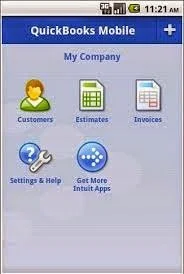
QuickBooks Mobile will be discontinued effective July 31, 2014
Unfortunately, Intuit has decided to kill their mobile app for QuickBooks for Windows product. Even though this app was limited in functionality, it was still a great way to quickly look up customers and create invoices when out and about and away from the office. This is just one more indication that Intuit is focusing their resources on the QuickBooks Online product.
However, due to the short lead time on this announcement, this will cause a lot of headaches for businesses that have already invested and implemented their processes based on it. And now they will scramble to find replacements.
Fortunately, I have stuck with
for all my clients' mobile needs. Not only does it have probably the best sync with QuickBooks, but practically all your data
and more
is available out of the office on any mobile device.
Contact us to find out how we can get your business back up and running with the best mobile option for QuickBooks.


QuickBooks 2014 R6 Product Download Buggy: Install From Here Instead

Lesson learned: always keep a download of each version of QuickBooks and its initial release. Even for Enterprise Solutions Full Service Plan subscribers, an installation CD will not be shipped unless you ask for it. Without it and you have to download your version of QuickBooks from Intuit's web site. Not a problem, right? Wrong! After learning on Friday (after installing QBES 14.0 for a client using the product download page) that the R6 patch was pulled by Intuit after a slew of bug reports, my client contacted me to complain of missing inventory, sync problems, and emailing issues. Sure enough, they were on R6. However, it wasn't as easy as just uninstalling and reinstalling QuickBooks, as Intuit still had the R6 version of the entire product release on their download page, even though the R6 patch was removed as both an automatic and manual download. This meant waiting almost 20 minutes for priority Diamond chat support; I can only imagine how long a phone call to any other support line was taking nowadays. Fortunately, I was able to get the link from them to download the R5 version of QuickBooks Enterprise 14.0 and the clean install utility.
Here are the details to save anybody else time:
Uninstall QuickBooks
Download and Run the QuickBooks Clean Install Utility
Download and install your version of QuickBooks 2014:
Remember:
Never install a manual patch unless an automatic patch of the same release number is already available. You may want to even wait a few weeks after the automatic patch becomes available, just to be safe.

Share and Work on QuickBooks Files Without Networking With Qbox

There are many ways that I have seen my clients use to
share
their QuickBooks file with an accountant, CPA, or just themselves so that they can have work done in the file in a location other than their primary workplace. Or course, we are talking about QuickBooks for Desktop, which in order to have multiple people work in the same company file simultaneously, you have to have a hard-line network connection with the file hosted on a server (optimal) or have your file hosted in the cloud with a paid subscription. Sometimes, you may just need work done in a QuickBooks file but not necessarily simultaneously with someone else. In this scenario, I have seen clients send backups to their accountants and then just stop working in their file until they get the changes back and then restore the backup (not very optimal). Rarely do I see clients send accountant's copies electronically to their accountants and I haven't seen anyone use the Send General Journal Entries feature that started in the 2013 version of QuickBooks. Maybe theses processes are too complicated or misunderstand for the average user.
As an avid Dropbox user, I tried accessing my QuickBooks file on multiple computers in the past, but this caused headaches such as conflicting copies of the same file. This was probably a result of syncing issues. Now, I just keep my file in there to keep it "backed up" into the cloud, but only access it and use it on one computer.

Recently, I discovered
. This is a free (using the Basic plan) service that shares your file like Dropbox, but actually locks the QuickBooks file (Word, Excel, and PowerPoint files too) when in use so that there aren't any conflicted copies. I tried the whole process from installing on my laptop and opening my existing QuickBooks file and it was a very easy and seamless process. Keep in mind that you still can only have one person open the file and work in it at one time. Once finished, the changes are synced back into the cloud while alerting the other user that the file is currently locked and cannot be used to make changes. There is also a great feature where you can just open the file in read-only mode so that another user can at least look at stuff but any changes won't be saved. I have super fast Internet and my QuickBooks file size is pretty small, so the syncing didn't take that long. However, it didn't sync as fast as Dropbox, which has a preference to not limit bandwidth, so I am wondering if Qbox has some sort of limit in place. Other than that, I'm pretty impressed with this solution to a problem that has existed for a very long time.